
Why S/MIME

Email Identity Without S/MIME Is Not Verifiable

Without certificate-based signing and encryption, any email claiming to be from you can be spoofed, altered in transit, or used to impersonate your organization — and recipients have no technical way to detect it.

Verifiable Sender Identity

Verifiable Sender Identity

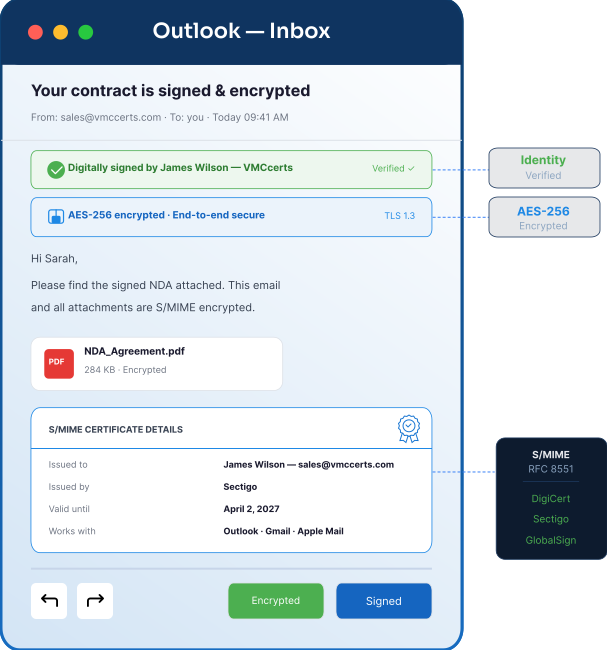
Every signed email includes a cryptographic proof of identity issued by a trusted Certificate Authority. Recipients can verify the sender and confirm the message has not been altered.
End-to-End Encryption

End-to-End Encryption

Encrypted emails can only be read by the intended recipient. Even if intercepted in transit, the content remains unreadable without the recipient’s private key.
Non-Repudiation

Non-Repudiation

Digital signatures create a verifiable, tamper-evident record of what was sent and by whom — supporting audit trails and communication integrity in regulated environments.
Supports HIPAA Email Security

Supports HIPAA Email Security

S/MIME encryption helps meet HIPAA requirements for securing electronic protected health information (ePHI) in transit.
Prevents Executive Impersonation

Prevents Executive Impersonation

Signed emails allow recipients to verify authenticity. Emails without a valid signature are easier to identify as potential spoofing or BEC attempts.
Works Across Major Email Clients

Works Across Major Email Clients

S/MIME is supported by Outlook, Apple Mail, iOS Mail, Android, Thunderbird, and enterprise environments. Setup is required for senders, while recipients can verify messages automatically in supported clients.
Pricing

S/MIME Certificate Plans

Three plans for individuals, businesses, and enterprise teams — all issued by globally trusted Certificate Authorities.

Personal S/MIME Certificate

For individuals and professionals who need a trusted S/MIME certificate to secure outbound email and verify their identity to recipients.

$29/yr per user
  • S1 validation — confirms you control the email address
  • Signing and end-to-end encryption for all outbound email
  • Works with Outlook, Apple Mail, Thunderbird
  • Compatible with all major email clients including iOS and Android
  • Issued within 1 business day
  • 1-year certificate with renewal reminder

Get Started

MOST POPULAR

Business S/MIME Certificate

For businesses and professionals in regulated industries who need a verified S/MIME certificate with full signing and encryption capability.

$59/yr per user
  • organization-validated — includes company name and email address
  • Full signing and end-to-end encryption included
  • Recipients see your verified name and organization — not just an email address
  • Supports HIPAA and GDPR compliance
  • Compatible with all major email clients including iOS and Android
  • Priority 24-hour issuance
  • 30-day support included

Get Started

Enterprise S/MIME Deployment

For IT teams and compliance-driven organizations that need to deploy and manage S/MIME at scale, across departments or the entire workforce.

Custom
  • Bulk user deployment (10+ seats)
  • Microsoft 365 & Google Workspace integration
  • Centralized certificate management portal
  • Automated renewal and re-issuance
  • S2 or S3 validation available
  • Private key recovery support available
  • SLA-backed support

Request a Quote

Implementation Process

Get Your S/MIME Certificate in 4 Steps

Most certificates are issued within 1 business day. Setup guidance is provided to help you install and configure your certificate correctly.

1
Choose & Order
Select the plan based on your needs — Personal, Business, or Enterprise. Complete the application and provide required details for validation.
2
Identity Verified
The Certificate Authority verifies your email address and, for higher validation levels, your identity or organization. Typically completed within 1 business day.
3
Certificate Issued
Your S/MIME certificate is issued as a .pfx or .p12 file. Installation guides are provided for Outlook, Apple Mail, and other supported clients.
4
Sign & Encrypt
Your email client signs outbound emails once configured. Encryption requires recipients’ public certificates to be exchanged before secure communication.

S/MIME Use cases

S/MIME Certificate Use Cases Across Industries

Any organization handling sensitive, regulated, or high-value email communications benefits from certificate-based email identity and encryption.

Healthcare & Providers
Healthcare & Providers

Protect electronic protected health information (ePHI) in transit to support HIPAA requirements. Signed emails also create verifiable records for patient communication and coordination.
Legal Firms

Legal Firms

Secure attorney-client communications and protect sensitive documents. Digital signatures provide a verifiable, tamper-evident record of who sent what and when.
Financial Services

Financial Services

Protect financial statements, account information, and transaction communications. Supports PCI DSS and SOX requirements for secure handling of financial data.
Enterprise Executive Teams

Enterprise Executive Teams

Reduce risk of executive impersonation and BEC attacks. Signed emails help recipients verify authenticity and identify suspicious messages more easily.
Research & Education

Research & Education

Protect sensitive research data, grant communications, and intellectual property shared via email. Supports secure collaboration across institutions and external partners.
Government & Public Sector

Government & Public Sector

Supports NIST SP 800-177 guidance for secure email. Widely used across federal and public sector environments for email identity assurance.

Why VMCcerts

Expert S/MIME Guidance — Start to Finish

S/MIME certificates from trusted Certificate Authorities, with hands-on setup support and deployment guidance included.

Certificates from Leading CAs

Certificates from Leading CAs

Get S/MIME certificates from globally trusted Certificate Authorities used for email identity solutions. Trusted across major email clients and enterprise environments.

Fast Issuance — 1 Business Day

Fast Issuance — 1 Business Day

Personal certificates issued within hours. Business certificates complete identity validation within a day. Enterprise deployments are scoped and managed per your timeline.

Installation Support Included

Installation Support Included

Step-by-step guidance for Outlook, Apple Mail, iOS, Android, and Thunderbird. We assist with setup and configuration to ensure your certificate is installed and working correctly.

Microsoft 365 & Google Workspace

Microsoft 365 & Google Workspace

Deploy S/MIME across Microsoft 365 and Google Workspace environments. Includes guidance for user configuration and organization-wide certificate rollout across teams.

Renewal Management

Renewal Management

Advance renewal reminders and support for certificate reissuance. Expiry of an S/MIME certificate do not affect previously signed emails — they remain verifiable.

Bundle with VMC & DMARC

Bundle with VMC & DMARC

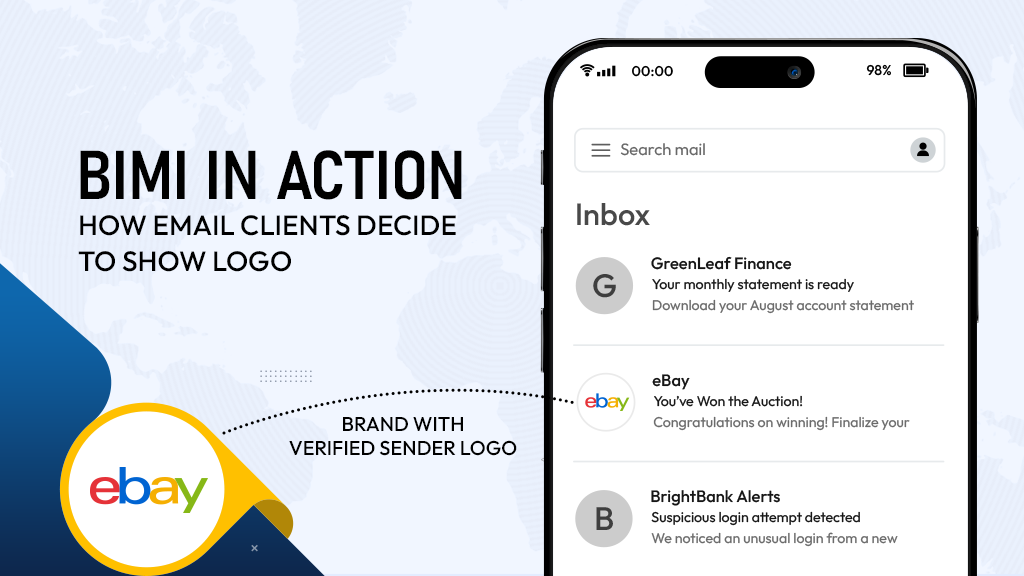
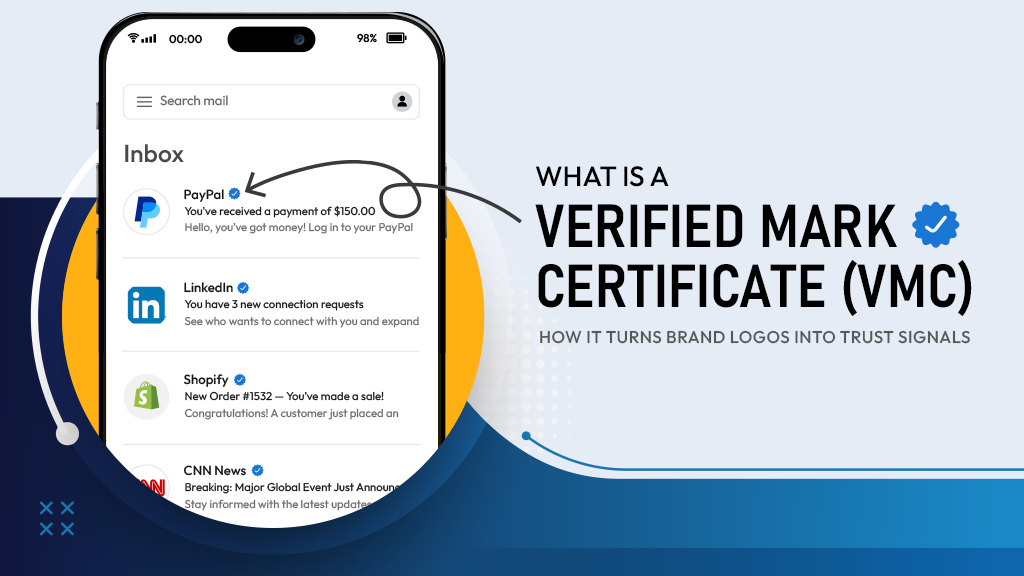
Extend beyond encryption with DMARC enforcement and VMC for verified brand identity in the inbox. Combine domain authentication, sender identity, and visual trust.

purchase, issuing, Process and Renewal FAQ

Commonly Asked Questions About S/MIME Certificate

Basics & Buying Decision

What is an S/MIME Certificate?

An S/MIME Certificate is a digital certificate that allows users to sign and encrypt emails using cryptographic identity verification. It helps recipients verify the sender’s identity and protects sensitive email content from interception.

What does S/MIME stand for?

S/MIME stands for Secure/Multipurpose Internet Mail Extensions. It is the industry-standard protocol used for digitally signed and encrypted email communication.

Why do I need an S/MIME Certificate?

S/MIME helps protect sensitive email communication from spoofing, tampering, and interception. It also provides recipients with cryptographic proof that the email genuinely came from you.

How does S/MIME protect email communication?

S/MIME digitally signs emails to verify sender identity and encrypts messages so only the intended recipient can read the content using their private key.

Does S/MIME encrypt email attachments?

Yes. S/MIME encryption protects both the email message and its attachments, ensuring sensitive files remain unreadable if intercepted.

Can S/MIME prevent email spoofing?

S/MIME significantly reduces sender impersonation by attaching a cryptographic identity signature to every signed email. Recipients can verify that the message genuinely came from the stated sender.

What is the difference between S/MIME signing and S/MIME encryption?

Signing proves the email came from you and hasn't been tampered with — recipients can verify your identity with every message. Encryption protects the content of the email so only the intended recipient can read it. Both use your S/MIME certificate, but they solve different problems.

Who should get an S/MIME certificate?

Anyone handling sensitive, regulated, or high-value email communication benefits from S/MIME. This includes healthcare professionals managing patient information, legal teams sharing confidential documents, financial services organizations sending account or transaction data, and executive teams at risk of impersonation or business email compromise. If your email content matters — or your identity as a sender matters — S/MIME is the right layer of protection. Talk to BIMI expert

How is S/MIME different from DMARC?

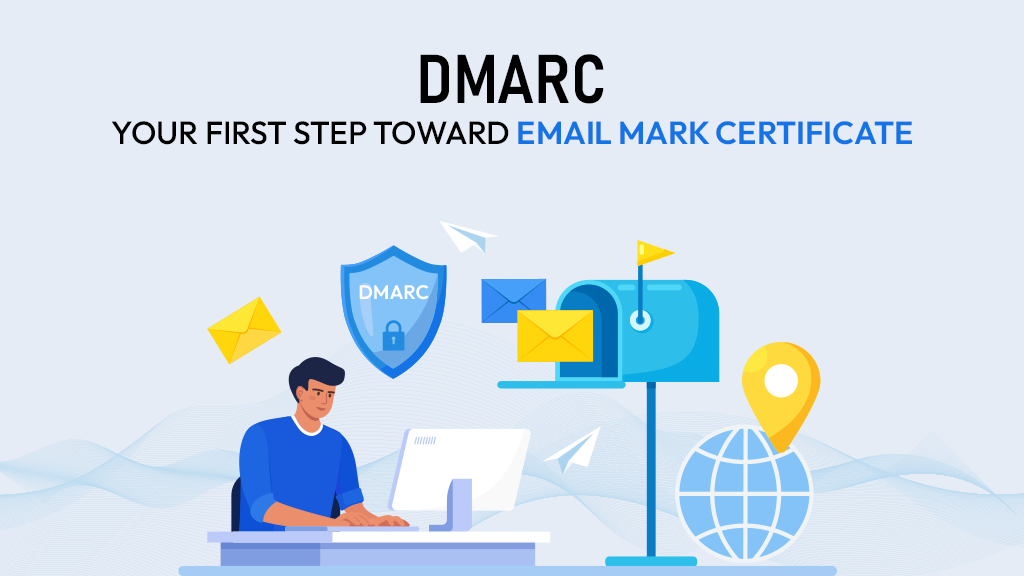
DMARC protects your domain at the infrastructure level — it controls what happens to emails that fail authentication and prevents unauthorized senders from using your domain. S/MIME operates at the individual email level — it attaches a cryptographic signature to each message so the recipient can verify the sender's identity directly. DMARC protects your brand and domain. S/MIME protects individual email communication and sender identity. Together they form a comprehensive email trust stack. Explore DMARC services

Validation & Certificate Types

What’s the difference between S/MIME S1, S2, and S3 Certificates?

S1 Certificates validate email ownership only. S2 Certificates additionally verify the individual’s identity and organization details, while S3 Certificates provide enhanced organizational validation for enterprise-grade trust requirements.

Which S/MIME validation level should I choose?

The right validation level depends on your security, compliance, and business requirements. Individual users often choose S1, while enterprises and regulated industries commonly require S2 or S3 validation.

What is the difference between Personal, Business, and Enterprise S/MIME plans?

The Personal plan is for individuals who need a trusted certificate for signing and encryption — issued within hours at $29 per year. The Business plan adds organization validation so your company name appears in the verified signature, supports HIPAA and GDPR compliance, and includes priority issuance and 30 days of support at $59 per year. The Enterprise plan covers bulk deployment across teams, centralized certificate management, Microsoft 365 and Google Workspace integration, and automated renewal — priced custom based on your requirements.

Can individuals get an S/MIME certificate, or is it only for businesses?

Individuals can absolutely get an S/MIME certificate. The Personal plan is designed specifically for professionals, freelancers, and individuals who want recipients to be able to verify their identity and keep sensitive email content private. It starts at $29 per year and is issued within one business day.

What documents are needed for Business S/MIME validation?

Business validation requires confirmation of your organization name, the email address being certified, and details that allow the Certificate Authority to verify your organization exists. Our team guides you through exactly what's needed so the process moves quickly without unnecessary back and forth.

Technical Readiness & Compatibility

Which email clients support S/MIME?

S/MIME works across all major email clients — Outlook, Apple Mail, iOS Mail, Android Mail, and Thunderbird. It's also compatible with enterprise environments running Microsoft 365 and Google Workspace.

Does S/MIME work with Microsoft 365 and Google Workspace?

S/MIME can be deployed across both Microsoft 365 and Google Workspace environments. Our Enterprise plan includes specific guidance for organization-wide rollout across both platforms, including user configuration and certificate management at scale.

Does Gmail support S/MIME Certificates?

Google Workspace supports S/MIME functionality in enterprise environments. Personal Gmail accounts may require additional configuration or browser extensions for full S/MIME support.

Does Microsoft Outlook support S/MIME?

Microsoft Outlook includes native support for S/MIME signing and encryption across desktop and enterprise deployments.

Does Apple Mail support S/MIME?

Apple Mail provides built-in support for S/MIME Certificates on macOS and iOS devices.

What file format is the S/MIME certificate issued in?

S/MIME certificates are issued as a .pfx or .p12 file. Installation guides are provided for Outlook, Apple Mail, and other supported clients. Our team assists with setup and configuration to make sure your certificate is installed and working correctly from day one.

What is a .pfx or .p12 file?

A .pfx or .p12 file is a bundled certificate file that contains both the S/MIME Certificate and its associated private key for secure installation and transfer.

Can I use the same S/MIME Certificate on multiple devices?

The same S/MIME Certificate can usually be installed on multiple trusted devices as long as the private key is securely transferred and protected.

Deployment & Setup

How long does it take to get an S/MIME certificate?

Personal certificates are typically issued within hours of validation. Business certificates complete organization validation within one business day. Enterprise deployments are scoped and managed based on your team size and platform requirements — contact us for a timeline tailored to your rollout.

How do I install an S/MIME certificate?

Installation involves importing your .pfx or .p12 certificate file into your email client and configuring it for signing and encryption. We provide step-by-step installation guidance for Outlook, Apple Mail, iOS, Android, and Thunderbird — and our team is available to assist if anything needs troubleshooting.

How does S/MIME encryption work in practice?

When you send an encrypted email, your email client uses the recipient's public certificate to encrypt the message. Only the recipient's private key — held securely on their device — can decrypt and read it. This means even if the email is intercepted in transit, the content remains completely unreadable. Encryption requires both parties to have exchanged public certificates before secure communication can begin.

Can S/MIME be deployed across an entire organization?

Our Enterprise plan is specifically designed for IT teams and compliance-driven organizations that need to deploy S/MIME at scale — across departments or the entire workforce. It includes bulk user deployment, centralized certificate management, automated renewal and reissuance, and Microsoft 365 and Google Workspace integration.

Compliance & Industry Use

Does S/MIME help with HIPAA compliance?

S/MIME encryption helps meet HIPAA requirements for securing electronic protected health information (ePHI) in transit. Signed emails also create a verifiable, tamper-evident record of patient communications — supporting audit requirements in regulated healthcare environments.

Is S/MIME relevant for GDPR and financial regulations?

S/MIME encryption supports GDPR requirements for protecting personal data in transit and helps meet PCI DSS and SOX requirements for securing financial communications. For any organization that handles regulated personal or financial data over email, S/MIME is a practical and widely accepted control.

What industries benefit most from S/MIME certificates?

Healthcare, legal, financial services, enterprise executive teams, research institutions, and government organizations all have strong use cases for S/MIME. Any organization where email identity matters, content confidentiality is required, or regulatory compliance demands verifiable communication records benefits from certificate-based email security.

Does S/MIME support audit trails and non-repudiation?

It does. Digital signatures create a verifiable, tamper-evident record of what was sent, by whom, and when. This non-repudiation capability is particularly valuable in regulated environments where communication integrity needs to be demonstrable — legal proceedings, financial audits, healthcare records, and compliance reviews all benefit from this.

Is S/MIME suitable for internal corporate communication?

S/MIME is widely used for securing internal business communication, protecting confidential discussions, and verifying employee email identity.

Pricing, Providers & Agency Use

How much does an S/MIME certificate cost?

S/MIME certificates start at $29 per year for the Personal plan. The Business plan — which adds organization validation and compliance support — is $59 per year per user. Enterprise pricing is custom based on seat count, deployment platform, and support requirements. Contact our team for a tailored S/MIME proposal.

Can S/MIME be bundled with BIMI Certificates and DMARC?

Yes — and bundling makes sense for organizations that want complete email trust coverage. DMARC secures your domain at the infrastructure level. VMC or CMC puts your verified logo in the inbox. S/MIME proves individual sender identity and protects email content end to end. Our team can scope and deploy all three as a unified engagement.

Can agencies deploy S/MIME for multiple clients?

Yes. Agencies and managed service providers can deploy S/MIME across multiple client domains and organizations. Contact us to discuss volume pricing, white-label delivery options, and how S/MIME fits into a broader email trust stack alongside DMARC and VMC. Join agency partner program

Renewal & Certificate Lifecycle

How long is an S/MIME certificate valid?

S/MIME certificates are issued with a one-year validity period and require annual renewal. Renewal reminders are provided in advance so you're never caught off guard by an unexpected expiry.

What happens when my S/MIME certificate expires?

Once your certificate expires, outbound emails will no longer carry a valid digital signature — recipients won't be able to verify your identity through the certificate. Encryption also stops working for new messages.

Do previously signed emails remain verifiable after the certificate expires?

Emails signed with your S/MIME certificate before it expired remain verifiable — the signature is tied to the certificate that was valid at the time of sending, not the current date. This preserves the integrity of your communication history even after a certificate has lapsed or been renewed.

Do S/MIME renewals require revalidation?

S/MIME renewal require email, identity, or organization revalidation depending on the certificate type and Certificate Authority requirements.

Can I renew my S/MIME Certificate before expiration?

Early renewal is recommended to avoid interruptions in signed or encrypted email communication.

Do you provide deployment and renewal support?

VMCcerts assists customers with certificate issuance, installation guidance, deployment support, renewal coordination, and lifecycle management. We track your certificate expiry and reach out well before your renewal is due. We recommend starting the renewal process at least 30 days before expiry.